What Is an AI Agent? And How to Build One Free (No Coding)
I built my first working AI agent on a Sunday afternoon, no code, and it cost me nothing but a coffee. It read my inbox, drafted three replies, and pulled two links I actually needed. That is when the word "agent" stopped sounding like marketing to me and started meaning something real.
Here is the honest version of how to build an AI agent free, written for someone who has never opened a code editor. You will learn what an AI agent really is, how it differs from a chatbot, the four parts every agent needs, and the exact free tools that let you build one this week.
I will also tell you the part most tutorials skip. Most 2026 "agents" are still unreliable and oversold. You can build one for free, but you have to know where it breaks before you trust it with anything that matters.
What is an AI agent (in plain English)
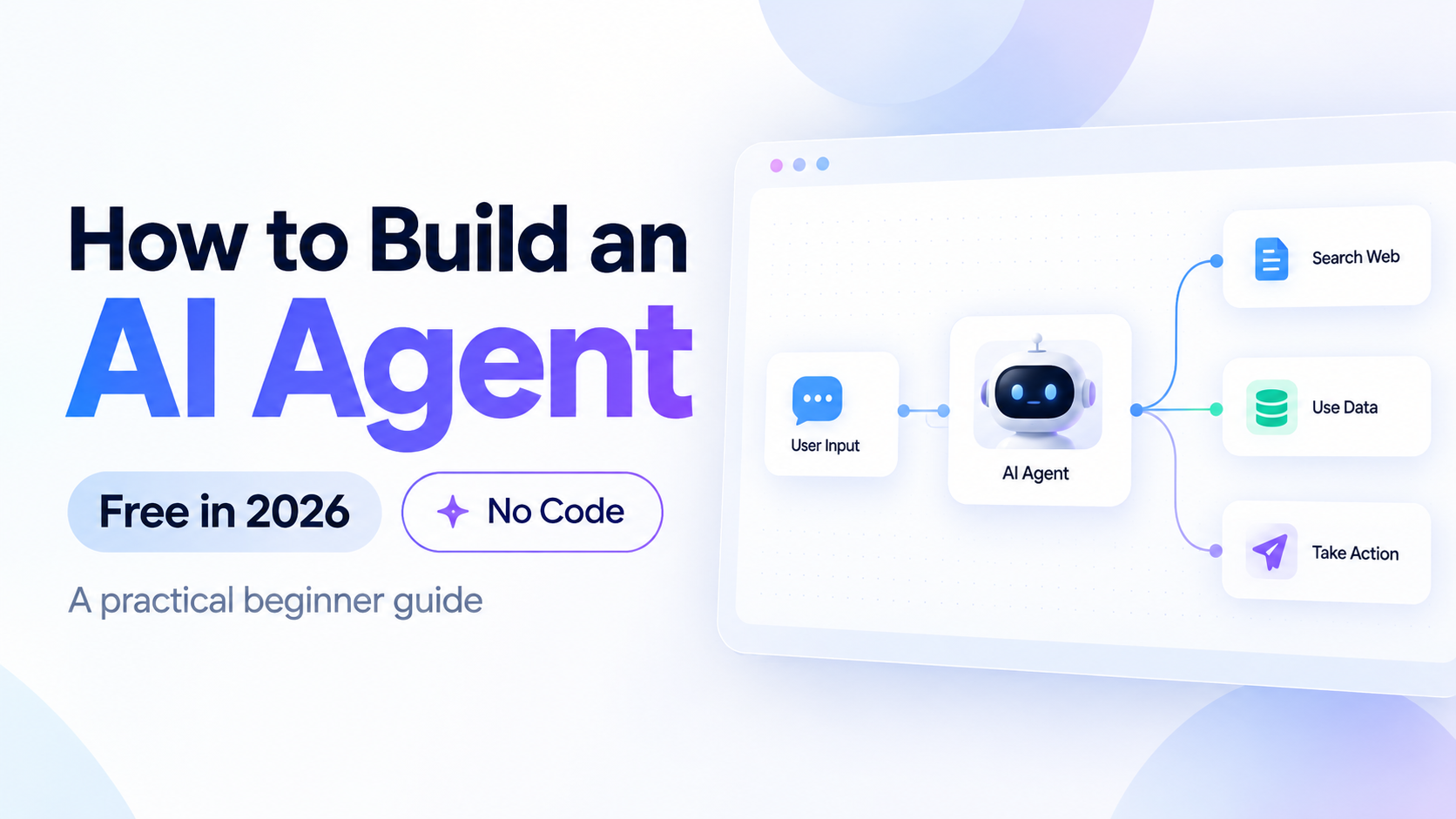
An AI agent is software that takes a goal, plans the steps to reach it, and uses tools to act, then checks whether it actually worked. That loop of plan, act, observe, repeat is the whole idea. Everything else is detail.
Compare two requests. You ask a chatbot, "What is the weather in Mumbai?" and it prints an answer from what it already knows. You ask an agent, "Tell me if I need an umbrella tomorrow and add a reminder if I do." The agent calls a live weather tool, reads the forecast, decides yes or no, and writes to your calendar. One talks. One does.
The engine behind the thinking is a large language model, the same kind of model that powers ChatGPT and Claude. The model is the brain. The agent is the brain plus hands: the ability to reach out, grab a tool, use it, and come back with a result. Strip away the tools and you are left with a very smart writer that cannot check a fact, book a slot, or send a message. Add the tools back and the same model becomes something that gets things done in the real world.
My plain-English definition: an AI agent is a language model that has been given a goal, a set of tools, and permission to keep going until the job is done. If you want the deeper theory of why this shift matters, we wrote a full explainer on what is agentic AI, and this post is the hands-on companion to it.
Here is a mental model I use. Picture a new intern on their first day. A chatbot intern answers whatever you ask, then stops and waits. An agent intern takes the assignment, figures out the steps, walks over to the filing cabinet, makes a few calls, and comes back with a finished draft. Same raw intelligence, very different behavior, because one has been told to keep going and given the means to do it.
The idea itself is not new. Computer science has studied "intelligent agents" for decades: a system that perceives its environment, makes decisions, and acts to reach a goal. What changed in the last two years is the brain. Language models got good enough at reasoning and following instructions that the old agent idea suddenly works with plain English, no rulebook required. That is why 2026 feels like the moment agents went mainstream.
One quotable line to keep: a chatbot ends its job when it finishes a sentence, an agent ends its job when it finishes a task.
AI agent vs chatbot vs assistant
An AI agent acts on goals with tools, a chatbot replies inside one conversation, and an assistant sits in the middle by helping with tasks but usually waiting for you to drive each step. The words get mixed up constantly, so let me draw the line cleanly.
A chatbot is reactive. You type, it answers, the loop ends. Customer-support bots and the free version of most AI apps live here. They are useful and cheap, and for many jobs a chatbot is genuinely all you need.
An assistant is a chatbot that can reach a few tools but still leans on you for direction. Think of a helper that can search the web or set one reminder when asked, but does not chain five steps together on its own.
An agent is proactive. Give it "book me the cheapest flight under 8,000 rupees next Friday" and it searches, compares, filters, and comes back with a shortlist or a booking, breaking the goal into sub-goals by itself. The gap between the three is autonomy: how many decisions it makes without you.
| Trait | Chatbot | AI Agent |
|---|---|---|
| Main job | Answer a question | Finish a task |
| Uses external tools | Rarely or never | Yes, that is the point |
| Plans multiple steps | No | Yes, breaks goals into sub-goals |
| Memory across steps | Short, one chat | Longer, task-level |
| You prompt every move | Yes | No, it runs the loop |
Where does a tool like ChatGPT sit in all this? It depends on how you use it. Vanilla ChatGPT answering a question is a chatbot. The same ChatGPT with web browsing on, files uploaded, and a task that spans several steps starts behaving like an agent. The label is not fixed to the product, it is fixed to the behavior. That is why "is X an agent?" is usually the wrong question. Ask instead: does it plan, and does it act with tools?
My opinion after building both: do not reach for an agent when a chatbot solves it. Agents add moving parts, and moving parts break. The quotable line here is simple: autonomy is a cost, not a feature, and you should only pay it when the task truly needs steps.
What an AI agent actually needs (a goal, an LLM brain, tools, memory)
Every AI agent, from a weekend no-code build to a production system, needs four parts: a goal, an LLM brain, tools, and memory. Miss one and you do not have an agent, you have a chatbot with extra steps.
A goal. The agent needs a clear objective and a way to know when it is done. "Summarize today's AI news into five bullets and email it to me by 8 am" is a good goal because success is obvious. Vague goals produce vague agents that loop forever or quit early.
An LLM brain. A language model does the reasoning: reading the goal, choosing the next step, and deciding when to stop. In 2026 the common brains are OpenAI's GPT models inside ChatGPT, Anthropic's Claude, and Google's Gemini. The brain is where the intelligence lives, but on its own it cannot touch the outside world.
Tools. Tools are how the agent acts: a web search, a calculator, an email sender, a calendar, a database, an API. The mechanism that connects the brain to tools is called function calling (also called tool use). The model outputs a structured request, for example "call send_email with these fields," the platform runs that function, and the result flows back into the model. Function calling is the single most important idea in modern agents, so let me be precise: the model does not run code itself, it decides which tool to call and with what inputs, and the surrounding system executes it and returns the output.
Memory. Memory lets the agent carry context across steps and sessions. Short-term memory holds the current task. Long-term memory (often stored in a vector database) lets it remember your preferences or past results. Without memory, every step starts from zero and the agent forgets what it just did.
Let me make function calling concrete, because it is the part beginners find confusing. Say your agent has a tool called get_weather. The model reads your request, decides the weather is relevant, and produces a small structured message: get_weather with city set to Mumbai. The platform sees that, runs the real weather lookup, and hands the temperature back to the model as new input. The model then writes your answer using that fresh data. The model never touched the internet directly. It only decided what to ask for. That separation is what keeps agents controllable, because you decide which tools exist in the first place.
Frameworks like LangChain exist to wire these four parts together in code, and they matter if you go pro. LangChain gives developers reusable pieces for prompts, tool connections, and memory so they do not rebuild the plumbing every time. For a free no-code build, the tools in the next section handle all four for you behind a simple interface, so you can borrow the same architecture without writing a line. The quotable line: a goal, a brain, tools, and memory are the four legs of the table, and an agent standing on three of them will fall over.
The best free ways to build an AI agent with no code
The best free no-code ways to build an AI agent in 2026 are ChatGPT Custom GPTs, Google Gemini Gems, Zapier AI, n8n, and Make, and the right pick depends on whether you want a conversational agent or an automation that runs in the background. I have used all five, and they split into two clean camps.
Camp one is conversational builders: ChatGPT Custom GPTs and Gemini Gems. You describe what the agent should do in plain language, give it instructions and maybe a file or two, and you get a chat-style agent that can search the web and use built-in tools. Setup takes minutes.
Camp two is workflow builders: Zapier, n8n, and Make. Here you connect triggers ("when a new email arrives") to actions ("ask an AI to draft a reply, then save it"). These run silently in the background across your real apps, which is where the "does things while you sleep" magic actually comes from.
| Tool | Best for | Free tier |
|---|---|---|
| ChatGPT Custom GPTs (OpenAI) | Conversational agents with web search and file knowledge | Use free; creating a GPT needs ChatGPT Plus (about 20 US dollars a month) |
| Google Gemini Gems | Personalized chat agents tied to Google apps | Yes, free tier available |
| Zapier AI | Connecting AI to 6,000+ apps with zero code | Yes, free plan (100 tasks a month) |
| n8n | Powerful visual workflows, self-host for free | Yes, free self-hosted and a free cloud trial |
| Make | Visual multi-step scenarios with a generous free tier | Yes, free plan (1,000 operations a month) |
A quick word on each, because the differences matter more than the marketing suggests. ChatGPT Custom GPTs from OpenAI are the most polished conversational agents, with clean web search, file knowledge, and the option to call your own actions. Google Gemini Gems shine when your life already lives in Gmail, Docs, and Drive, since the model sits close to that data. Zapier is the connector king, wiring AI into more than 6,000 apps with a point-and-click builder. n8n is the power user's pick: a visual canvas that self-hosts for free and handles branching logic that Zapier charges for. Make sits between the two, with a colorful visual editor and a genuinely usable free tier.
People ask me which brain to put inside these flows. In 2026 the three I reach for are OpenAI's GPT for all-round speed, Anthropic's Claude for careful long-form reasoning and following detailed instructions, and Google's Gemini when I need it glued to Google apps. All three expose function calling, so all three can drive an agent. The tool you build in (Zapier, n8n, Make) is separate from the brain you choose, and most platforms let you swap brains with a dropdown.
My honest recommendation for a first build: start with a Gemini Gem or a Zapier flow, because neither forces a paid plan on day one. Custom GPTs are excellent, but OpenAI gates creation behind a subscription, so I would not send a beginner there first. Anthropic's Claude is another strong brain you can plug into Zapier or n8n when you want careful, long-form reasoning. The quotable line: you do not need a credit card to build your first agent, you need one clear goal and one free tool.
How to build your first AI agent free, step by step
You can build a working AI research agent free in about 30 minutes with no code, and the fastest path for a beginner is a Zapier or n8n flow that watches a trigger, sends the input to an AI model, and saves the output somewhere you will see it. Let me walk through a real example: a daily research digest agent that emails you a summary of a topic every morning.
- Pick one narrow goal. Not "be my assistant." Something like "every morning at 7 am, search for the latest news on AI regulation in India, summarize it into five bullets, and email it to me." Narrow goals succeed. Broad goals fail.
- Choose your tool. For a scheduled background agent, open Zapier or n8n and create a free account. For this example I will use a Zapier flow, since its free plan covers it.
- Set the trigger. Add a "Schedule" trigger and set it to run daily at 7 am. The trigger is what starts the loop without you touching anything.
- Add the search step. Add a web search or RSS action so the agent pulls fresh information. This is the tool the agent uses to reach the outside world.
- Add the AI brain. Add an AI step (Zapier connects to OpenAI's GPT and to Anthropic's Claude). Paste an instruction: "Summarize the results below into five clear bullets, plain language, no fluff." Feed the search results into it. This step is your prompt, and better prompts give better output, which is why prompt engineering is worth an hour of your time.
- Add the action. Add a "Send Email" step that emails the summary to you. This is the agent taking a real action, not just thinking.
- Test it once. Run the flow manually. Read the email. If the summary is thin, tighten the instruction. If the search is off-topic, narrow the query.
- Turn it on. Switch the flow live. From tomorrow, it runs itself. You just built an agent that plans (schedule), uses tools (search, email), and acts (sends), with the AI model as the brain in the middle.
Want a conversational version instead? Open Gemini and create a Gem, or open ChatGPT and create a Custom GPT. Give it a name, write its instructions ("You are a research assistant. When I give you a topic, search the web and return five sourced bullets."), enable web browsing, and save. You now have a chat agent you can ask anything, any time.
A few tips that make the difference between a flow that works and one that quietly fails. Write the AI instruction like you are briefing a smart stranger: say the role, the input, the exact output format, and one example. Keep the number of steps small, because every step is a place to break. And always add a "notify me" step the first week, so you can watch what the agent does before you trust it to run unwatched. Good prompt design is not optional here, it is the steering wheel, which is another reason a little prompt engineering pays off fast.
The quotable line: your first agent should do one boring thing perfectly, not ten impressive things badly. I learned that the hard way after my first over-ambitious build quietly emailed me nonsense for three days.
Real things beginners can build
Beginners can build a research agent, an email drafting agent, a lead-capture bot, a daily news digest, and an FAQ responder, all free and all with no code. These five are realistic weekend projects, not demos that fall apart the moment you use them.
- A research assistant. Give it a topic, it searches, reads, and returns a sourced summary. Great for students and anyone writing reports. Build it as a Gemini Gem or a Custom GPT.
- An email drafting agent. It watches your inbox, drafts replies in your tone, and leaves them for you to approve. Build it in Zapier connected to Gmail and an AI model. Keep a human in the loop before anything sends.
- A lead-capture bot. When someone fills a form, it qualifies the lead, writes a short summary, and drops it into a sheet or a Slack channel. Build it in Make or n8n.
- A daily news digest. The exact flow from the last section: scheduled search, AI summary, email to you. The best first project because you see value every single morning.
- A customer FAQ responder. Feed it your help docs, and it answers common questions in a chat window. Build it as a Custom GPT with your files as knowledge.
A pattern worth noticing across all five: each one takes something you already do by hand and wraps it in a trigger, an AI step, and an action. That is the whole recipe. Once you have built one, the sixth idea and the tenth idea are just the same three pieces in a new order. This is why I push beginners to finish one small agent rather than read ten tutorials. The doing teaches what the reading cannot.
For students in India especially, the research assistant and the study digest are quietly powerful. A fresher preparing for placements can run a daily agent that pulls interview questions for a target company, summarizes them, and emails a five-minute revision list every evening. That is real leverage on a free plan, and it is exactly the kind of habit that compounds over a semester.
My favorite for beginners is the email drafting agent, because it saves real time on day one and the stakes are low: a bad draft costs nothing, you just edit it. If you want more ideas for putting AI to work day to day, we have a full guide on how to use AI at work that pairs well with these builds. The quotable line: the best beginner agent is one that saves you 15 minutes a day, not one that impresses strangers on the internet.
Limits and honest warnings
AI agents in 2026 are genuinely useful but still unreliable, prone to hallucination, and expensive to run at scale, so you should treat every autonomous agent as a talented intern who needs checking, not a finished employee. This is the section most tutorials leave out, and it is the one that will save you.
They hallucinate. The LLM brain can invent facts, sources, and steps with total confidence. An agent that hallucinates does not just say something wrong, it acts on something wrong. Never let an agent send, buy, or delete without a human check on anything that matters.
They break in long chains. Each step has a small error rate. Chain ten steps and those errors compound. A flow that works in a demo can fail on step seven with real, messy input. Short flows are reliable flows.
Cost grows fast at scale. Free tiers are generous for personal use, but each AI call costs money once you scale. An agent that runs 10,000 times a day on paid API calls adds up quickly, so watch usage before you automate at volume.
Autonomy is a security surface. An agent connected to your email and calendar can be tricked by malicious inputs (a technique called prompt injection). Give agents the least access they need, and read what an integration can touch before you approve it.
There is also a reliability gap between the demo and the daily grind. An agent that scores well on a polished test can stumble on the ordinary mess of real life: a weird email format, a website that changed its layout, a form field left blank. Software you rely on needs to work on the bad days, not just the good ones, and today's agents are still better at the good days. I say that as someone who genuinely likes them.
My contrarian take, said plainly: most things sold as "AI agents" in 2026 are chatbots with a schedule attached, and a good chunk of the autonomy on offer is marketing. That is not a reason to skip them. It is a reason to build small, verify often, and keep a human in the loop. If you also write or run code, our roundup of the best AI tools for coding shows where agents genuinely earn their keep today. The quotable line: an AI agent is a power tool, and power tools reward respect and punish carelessness.
So should you build one? Yes, and today. The point of a first agent is not to replace your job, it is to teach you how the pieces fit: goal, brain, tools, memory. Once you have shipped one that saves you a few minutes a day, the whole field stops sounding like hype and starts looking like a skill you own. That is worth far more in 2026 than any single tool.
Frequently Asked Questions
What is an AI agent in one sentence?
An AI agent is a language model given a goal, a set of tools, and permission to plan and act until the task is done, instead of just replying once. The key difference from a chatbot is that an agent uses tools like search or email and runs a multi-step loop. Most beginners build their first one in under an hour.
How do I build an AI agent for free with no code?
Pick one narrow goal, choose a free tool like Gemini Gems, Zapier, or n8n, set a trigger, add an AI step as the brain, and add an action like sending an email. Test it once, then turn it live. The whole build takes about 30 minutes for a first project.
Is building an AI agent really free?
Mostly yes. Gemini Gems, Zapier (100 tasks a month), n8n (self-hosted), and Make (1,000 operations a month) all have real free tiers in 2026. The exception is ChatGPT Custom GPTs, where creating one needs a paid ChatGPT Plus plan at around 20 US dollars a month.
What is the difference between an AI agent and ChatGPT?
Plain ChatGPT is a chatbot that answers inside one conversation. An AI agent, including a ChatGPT Custom GPT with tools enabled, can search the web, use files, and complete multi-step tasks. The agent acts, the plain chatbot only responds.
Do I need to know Python to build an AI agent?
No. Tools like Zapier, n8n, Make, Gemini Gems, and Custom GPTs need zero code. You only need Python or a framework like LangChain when you want full control, custom logic, or production systems that no-code tools cannot handle.
What can an AI agent actually do?
It can research a topic and summarize sources, draft and manage emails, qualify leads, send you a daily digest, answer customer FAQs, and update spreadsheets or calendars. In 2026 it does these reliably in short flows and unreliably in long, complex ones, so keep tasks narrow.
Are AI agents safe to connect to my email?
They can be, with limits. Give the agent the least access it needs, keep a human approval step before anything sends, and be aware of prompt injection, where malicious input tricks the agent. I never let an agent send email fully autonomously on an account that matters.
Which free AI agent builder is best for beginners?
For a chat-style agent, Gemini Gems is the easiest free start. For a background automation, Zapier's free plan is the friendliest. I recommend beginners start with one of these two before touching Custom GPTs or n8n.
Recommended Blogs
What Is a Large Language Model
Best AI Tools for Coding in 2026
If you build just one agent this week, make it the daily digest. It is small, it is free, and it proves the whole idea to you in a single morning email.
Unrot teaches AI like this in 5 minutes a day, one small lesson at a time. Start free at unrot.co.